

Learn More

Getting started

Product Guides

Need more help?
Excepteur sint occaecat cupidatat non proident, sunt in culpa qui officia deserunt mollit anim id est.
Submit ticketWhat Happens After You Create a Report?
Your report appears in the "Recent reports" section with:
- A preview thumbnail showing charts and data
- The report name (pulled from your chat title)
- A timestamp showing when it was created (e.g., "5 hours ago," "1 week ago")
Finding Your Reports
- Use the Search reports... bar to find specific reports by name
- Toggle between All (shows everyone's reports) and My reports (shows only yours)
- Reports are sorted by "Recent reports" by default
Sharing Your Report
Once your report is ready, you can share it with anyone.
Step 1: Open your report
- Go to Reports in the left sidebar.
- Click on the report you want to share.
Step 2: Get the shareable link
- Click the Share button (usually in the top-right corner).
- Click Share Report.
A dialog box opens with a shareable link in the format: https://app.decisionx.ai/report/6e2ce691-958d-4
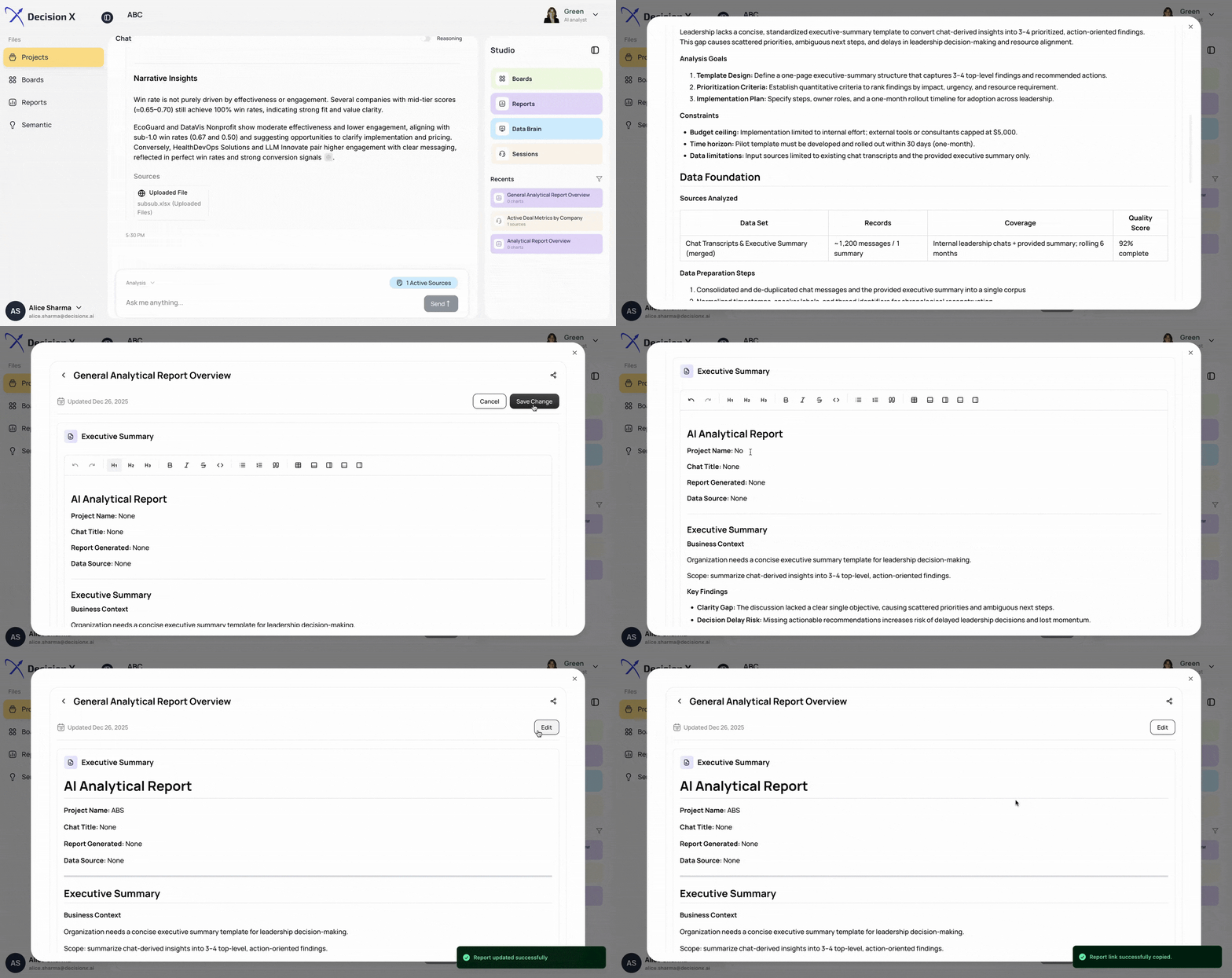
Step 3: Copy and distribute
- Click the Copy button to copy the link to your clipboard.
- Paste the link anywhere: email, Slack, Teams, or any messaging platform.
Anyone with the link can view your report. They don't need to log in to DecisionX to see it.
Editing Your Report
Before or after sharing, you can make changes:
- Open the report you want to modify.
- Click the Edit button.
- Use the formatting toolbar to style your content: add headers, bold text, bullets, tables, and more.
- Make your changes: add commentary, adjust visualizations, or include additional context.
- Click Save Change when you're done editing.
- Click Cancel if you want to discard your edits.
.png)

.png)